



9 practical tips and tools to organize your photos
20 January, 2023
9 TIPS FOR ORGANIZING YOUR PHOTOS
Special collaboration by Kassandra Lalonde, professional photographer (behind, among other things, the gorgeous Belles Combines photos!) -
To see her work: LalorPhotographie (in French)
Day to day, we think about tidying our living space, our home, the yard, the office and everything else. But what about our phone or our computer? With today's mobile devices, we take an endless number of photos. By comparison, when we were younger, our parents had film cameras. One roll could last an entire trip! On a 24-exposure roll, we could find birthday photos, family outings, the previous year's Christmas, and so on. Today, we document pretty much everything we see and experience, videos included! As a result, we get very lost when it's time to go back and look at our memories.
There are different ways to organize our memories. We can do it right on our mobile devices, or take care to organize the photos so we have them in printed form.
Either way, there are all kinds of benefits! So now is the time to get your photos in order: here are 9 tips to help you do it.

First, let's not kid ourselves: reality often catches up with us quickly in the form of a little notification telling us our storage is full, and the solution is certainly not to buy a new phone just to get more space. But since we're attached to our thousands of photos and absolutely don't want to delete any, we start by deleting unused apps and unnecessary text messages, only to end up with the same problem sooner or later! So let's start with the tips related to electronic devices.
ELECTRONIC DEVICES
It's always a good time to start building good habits, including for organizing your memories. Today, right when our little heir is taking his first steps, we must have about fifteen photos of that very moment alone, on top of all the videos we collect of his first strides!
- Facial recognition
Facial recognition is a good first way to organize your images. Basically, your mobile device can group your photos by the people in them. For example, as soon as you take photos of your little Jérémie or your little Romy, you'll see the ones they appear in together in an album that is automatically assigned to them. Your phone very often does this on its own once the same faces keep coming up.
- Storage apps
Storage apps like iCloud, Google Drive, Dropbox and others can be very good allies! For example, in your settings, you can sync your images so they transfer there automatically. External hard drives can even be very useful if you're the type to transfer your images to your computer. You just have to store them carefully in a safe place so you keep these memories like a treasure! An accident happens so quickly; take it from a former university student who learned that the hard way!
- Schedule a seasonal or monthly sort
We can be optimistic and think we'll be able to do the job as we go. But far too often, we end up putting it off until later! Why not make it a task to do every season or every month? The planners from Les Belles Combines are the perfect tool to support you with this task! That way, you'll have time to delete photos, and with some distance, you'll be able to sort efficiently what you really want to keep.
What's more, since we very often end up with a happy mix of photos or videos of our everyday life, inspiration images seen on Pinterest, forgotten screenshots piled up over the last few years, photos snapped on the fly by your youngest with a close-up of their forehead... Regular sorting is probably the best ally for organizing your memories!
- Creating photo albums on your phone
If you're the kind of family that does a session with a professional photographer from time to time, know that you can do this same task more regularly yourselves so your favourites get printed and tucked into a well-dated memory box!
While doing your regular sort, you can create albums around different themes, such as:
- Months
- Seasons
- Trips
- Celebrations
This approach is ideal when you want quick access to photos on your mobile devices and want to relive specific moments. With an album for every birthday, every Christmas, every trip or every season over the years, you can easily relive beautiful memories. This task can also be very useful when we take on big projects; you can, for example, create an album made up of photos of your various sources of inspiration when you start a kitchen or bathroom renovation!
- Family sharing app
For some people, the reality of social media is an obstacle to sharing photos on those platforms. We often want the photos to be seen first by Grandma and Grandpa, Auntie or Uncle, Godmother or Godfather, friends, and so on. Yet we all know that very often, when you post a photo on social media, its exposure goes well beyond your close circle. This can of course be worrying, especially when the photos show our kids or when our job requires a certain level of privacy; image rights are therefore a very important factor to consider!
The beauty of it is that there are photo storage apps designed especially for sharing with family! That's what FamilyAlbum, an app that lets you store images to share safely, offers. Grandpa and Grandma can even leave comments or sweet little notes on the memories posted in the different albums.
What's more, photos and videos are automatically organized by month there, and you can also see the visit history, which lets you easily check whether Godmother or Grandma have seen the latest photos shared. But the most important thing about this app is its secure and private nature; only the people you invite will have access to the shared photos.
- Sorting app or software
There are a few apps that can be very useful and help you a great deal with sorting your mobile devices. For example, with the Smart Cleaner app, you'll have a good data cleaner. This app will help you avoid having dozens, even hundreds, of similar photos (I'm sure I'm not the only guilty one!) There is also the Cleanup app, which does the same job.
These tools help organize and sort screenshots and similar images (including burst shots, which often look far too much alike; hi to my Thomas here!). In short, the apps let you easily search for, delete or sort all your images and free up space on your phone, as if by magic!
Be careful, though, with the terms of use set by the app you want to use, in particular regarding your images and the price you'll pay.

PRINTED PHOTOS
As for me, given my job as a photographer, I admit I'm among the nostalgic ones of this world when it comes to “photos.” I absolutely love looking at printed photos! For example, here, travel photos have to be printed; I sometimes find them on the walls of our house, in a memory box, in an album, and so on. By having done a seasonal or monthly sort beforehand, we give ourselves the chance to print the memories we love most from time to time.
So let's move on to solutions for organizing photos that give a more tangible result. And no excuses, since orders can be placed right from your mobile device!
- Memory boxes
Printing photos in a classic format like the traditional 4x6 is a great option. Less expensive, this print size is common and very easy to order. In addition, there is a multitude of albums to choose from in which we can slip these photos. However, it often takes several of them to hold all the printed images.
So why not buy a box and put your prints inside? It can all be sorted by month, by year, by trip, and so on. Again, don't wait to print everything at once! When you get back from a trip, take a moment right away to sort the photos from your stay. If you don't want to print them all, pick your favourites or the highlights of your vacation.
- Albums (photo books or albums with printed photos)
The classic album made up of 4x6 photos is always a great choice, but there are also other formats and types of albums to consider, whether a magazine-format album or one with a coffee-table-book look. Creating one album per year can also be a very good idea! That way you can see your favourite moments inside and look through it regularly. I don't know about you, but taking the time to look at memories together as a family is something we really love doing here at home. There's something very unifying and warm about looking through albums surrounded by our kids. These are moments that let everyone dive back into their memories.
Platforms like VistaPrint offer this type of service, with which you can easily and quickly create little albums here and there. There is also the Chatbooks Family Albums app, which makes it easy to put together albums from your phone photos. Then, to get something more high-end, when you want to make an album with the photos taken by a professional photographer during a session, don't hesitate to order an album directly from them; many offer this type of service.
- Instax printer
Who doesn't know Instax cameras, that gem that has made a warmly welcomed comeback? For many of our kids, it's real magic and a total revolution, even if we might feel a tad old explaining that the concept existed long before us!
But did you know that there are also Instax printers? Basically, using the Instax app, we can upload photos right from our phone. We buy the same film and, over Bluetooth, it all prints and the magic happens! It's ideal for making beautiful collages and gives a really interesting look for the nostalgic among us! On our end, we even used it for our daughter's oral science presentation and for little family scrapbooking projects. This option also makes it easy to print them and slip them into a memory box!

As you've seen, there are several tools that will help you better organize your images. Whether we stick to solutions on our devices or like to do it all in a more tangible way, take the time to relive your moments and memories surrounded by your family. After all, captured memories aren't meant to be forgotten! Now all that's left is to plan a time that will come back regularly to sort your photos, so you can enjoy them more and manage your phone's space well with the various tips given.
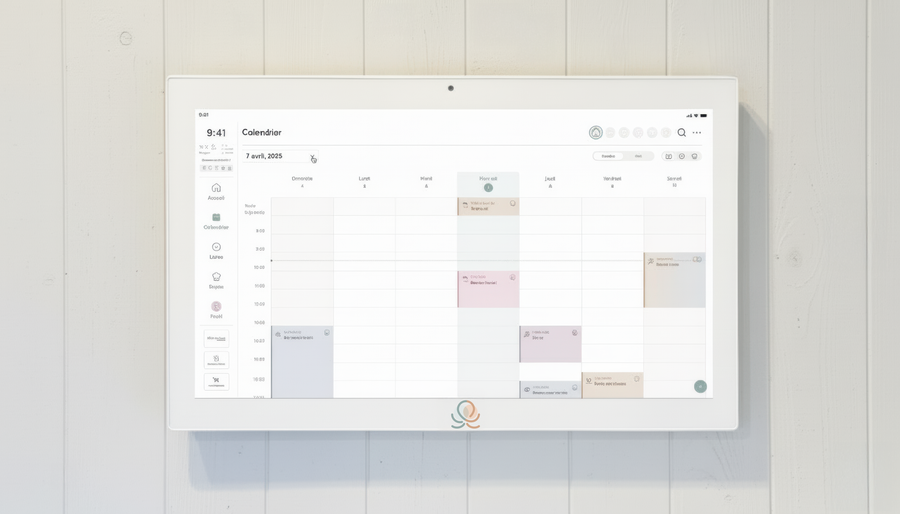
Put these tips into practice
Get the whole family organized with Octave
Meals, chores, the calendar and routines for the whole family in one place: on everyone's phone and on the Station on your wall.
The app is free on iOS and Android.